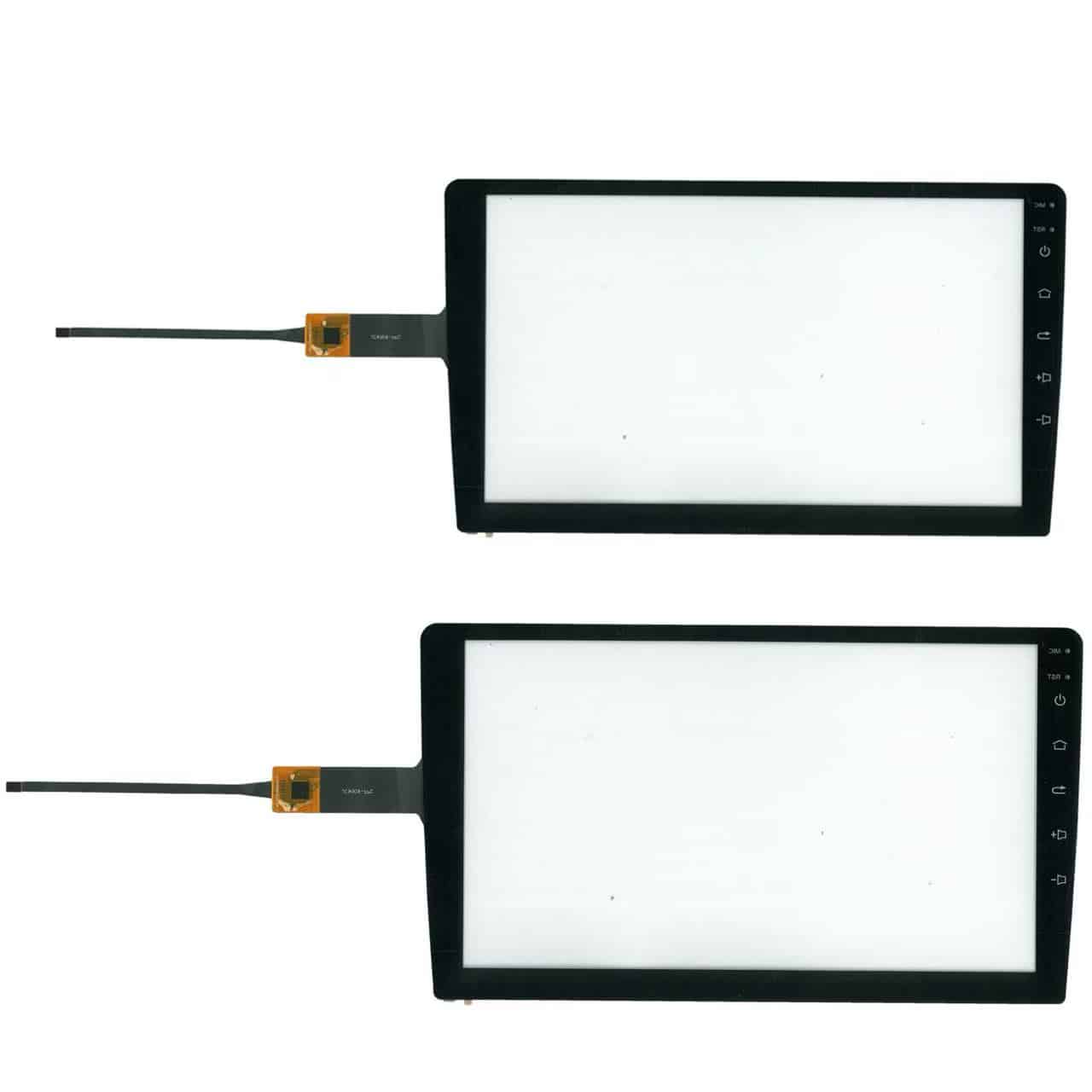
Android Car Touch Screen Replacement Made Easy

Step-by-step Android car touch screen replacement guide. Expert car Android screen repair and infotainment touchscreen repair services.
Touch screen replacement is essential when your Android car touchscreen malfunctions or gets damaged. This guide provides clear, step-by-step instructions to safely and efficiently replace your Android car touchscreen, restoring full functionality and improving your driving experience. Whether you’re a DIY enthusiast or a professional technician, this guide covers everything you need to know to carry out an efficient and safe replacement.

Why Replace Your Android Car Touch Screen?

  • Unresponsive touch controls: Your screen does not register touch or responds erratically.
  • Physical damage: Cracks, scratches, or shattered glass impair visibility and usability.
  • Display problems: Flickering, discoloration, or dead pixels affect screen clarity, requiring car infotainment screen replacement.
  • Improved safety: A fully functional touchscreen reduces distraction and allows safe operation.

Tools and Parts Needed for Android Car Touch Screen Replacement

  • Kompatibel replacement car touchscreen panel for your Android car model (ensure exact model matching).
  • Plastic pry tools to open the dashboard without damage.
  • Screwdrivers (usually Phillips and Torx).
  • Anti-static gloves (recommended).
  • Clean microfiber cloth and isopropyl alcohol for cleaning.
  • Optional: heat gun for loosening adhesive.
Android car touch screen replacement parts
High-quality replacement touchscreen panel for Android car systems.

Step-by-Step Android Car Touch Screen Replacement Procedure

  1. Power Off and Disconnect Battery: Safety first—turn off the car ignition and disconnect the negative terminal of the car battery to prevent electrical damage.
  2. Remove the Dashboard Panel: Use plastic pry tools to gently remove the trim surrounding the head unit. Avoid metal tools to prevent scratches.
  3. Unscrew the Head Unit: Locate and remove screws securing the head unit using appropriate screwdrivers. Keep screws organized.
  4. Disconnect Wiring Harnesses: Carefully unplug all connectors from the back of the head unit, especially the touch screen ribbon cable.
  5. Separate the Touch Screen from the Frame: Depending on your model, use a heat gun to soften adhesive and gently pry the screen off the frame.
  6. Install the New Touch Screen: Clean the frame and connectors. Attach the new touch screen carefully, reconnect ribbon cables, and secure with screws or adhesive as per manufacturer instructions.
  7. Reassemble and Test: Reinstall the head unit and dashboard trim. Reconnect the battery and power on the system. Test the new touch screen for responsiveness and display quality.

Common Issues During Android Car Touchscreen Repair

  • Touch screen not responding after replacement: Check ribbon cable connection and compatibility.
  • Display flickering or blank: Verify correct installation and check for damaged connectors.
  • Dashboard trim damage: Use proper pry tools and work slowly to avoid breakage.

Tips for a Successful Android Car Touchscreen Replacement or Repair

  • Purchase genuine or high-quality OEM parts for car Android screen repair service.
  • Document disassembly steps or take photos to ease reassembly.
  • Work in a clean, well-lit environment.
  • If unsure, consult professional technicians or trusted services for DIY car touchscreen replacement.

Why Choose FixMyDash for Your Android Car Screen Repair?

At FixMyDash, we specialize in professional remote assistance and replacement guidance for Android car systems. Our experts provide:
  • Accurate diagnosis of faulty car touchscreen fix.
  • Step-by-step remote support during replacement.
  • Genuine replacement part sourcing advice.
  • Fast, secure communication via WhatsApp and email.
Besuch FixMyDash.com to get expert help today and restore your Android car system to full functionality.
×
$5.0 Experten-Diagnose
Sofortige Hilfe für Ihren Auto-Android-Bildschirm
Experten-Diagnose
  • Professionelle 1:1-Analyse
  • Schnelle Antwort innerhalb von 24 Stunden
  • 100% Rückerstattung, wenn Sie aufrüsten oder reparieren
$5.0 jetzt bezahlen & Diagnose starten
Nicht erstattungsfähig, aber volle Reparaturgebühr wird abgezogen $5.0

Schreibe einen Kommentar

Warenkorb